On this page
The short answerWhy API reference docs driftMap the promises on each operation pageCompare OpenAPI, generated pages and hand-written samplesWrite API samples that can be testedRun examples in a clean containerDecide what a failure meansAdd pull request, release and nightly checksWhere DocsAlive fitsWhat these checks do not replacePasteable checklistThe sources we checkedFAQThe short answer
Test API reference documentation as a set of promises a reader can act on: install the documented SDK version, construct the request shown on the page, check the method, URL, headers and parameters, and verify that the documented response and error handling still match the contract being tested. Run complete examples in a clean environment, preserve dependencies between blocks on the same page, and record what was skipped. Separate likely documentation bugs from missing credentials, illustrative placeholders, external network failures and response values that are expected to vary.
Run relevant checks on pull requests, test the release artifact before publication when you need a release gate, and repeat checks on a schedule to find drift in dependencies and the deployed API. A post-release check against the version readers can install or call is valuable, but it cannot block a release that has already happened. For the broader practice, see how to test documentation code samples.
DocsAlive extracts supported examples, runs or checks them in page order, compares documented output where applicable, and classifies findings. It has coverage limits: examples needing credentials are classified rather than executed with real keys, compiled languages are not executed yet, and TypeScript support is limited. A report should be read alongside the coverage and skip reasons.
Why API reference docs drift
An API reference page can describe the same operation in several forms: a path and HTTP method, a parameter table, a curl command, an SDK method call, a JSON response, and an error example. Each form makes a slightly different promise. A field can be renamed in the implementation while a hand-written response still shows the old name. An endpoint can be removed while a generated sample still links to an older versioned base URL. An SDK can change a keyword argument even when the underlying HTTP operation is unchanged.
Defaults are particularly easy to miss. A page might say a list operation returns 50 items by default while the service now returns 20. The request still succeeds, so a test that checks only for a successful status will not detect the misleading instruction. Likewise, a pagination example can return a first page successfully but fail when it tries to use a renamed cursor field.
An OpenAPI description helps organize paths, operations, parameters, responses and reusable schemas. It does not ensure that every published example agrees with the implementation or that a hand-written SDK snippet agrees with the description. The OpenAPI Initiative recommends keeping a single source of truth and using validation to detect deviations. Treat the description, generated reference and running service as related artifacts whose agreement needs evidence. See the OpenAPI guidance on best practices and description structure.
A useful test result therefore identifies which version and which promise it checked. A sample can pass against a fixture while the live endpoint has changed. It can pass against the current SDK checkout while the published package lacks the method. Both results are useful, but they answer different questions. Documentation drift covers the wider problem across docs.
Map the promises on each operation page
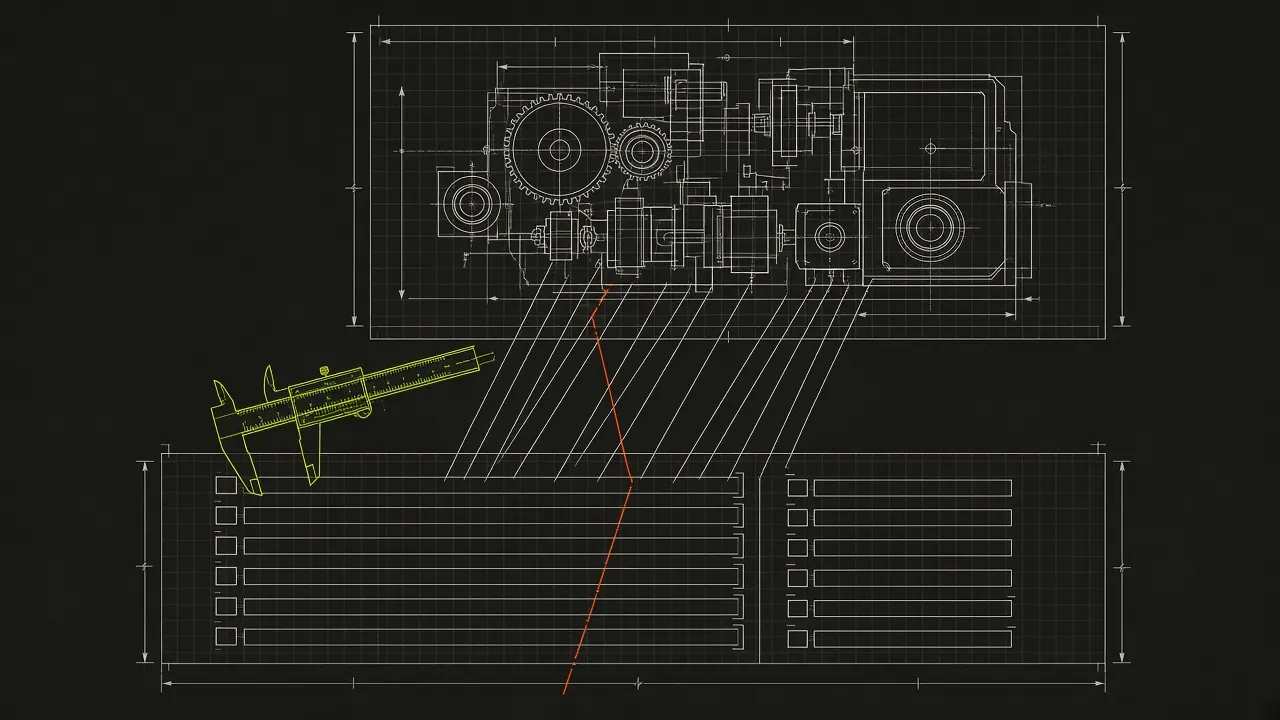
Start with a small inventory. For each operation, identify the supported API version, the SDK version or versions shown, the prerequisites and the expected result. Then map each example to a check that can actually establish its claim.
| Page element | What to check | Example drift |
|---|---|---|
| Endpoint and method | The documented method and versioned path identify the intended operation | A removed endpoint remains in a sample |
| Authentication | Header or SDK configuration has the documented shape; secrets are supplied only in an authorized environment | A header name or token prefix changes |
| Path and query parameters | Names, placement, encoding, types and documented defaults agree with the applicable contract | page_size is renamed or its default changes |
| Request body | Required fields and representative values match the operation | A field is renamed or becomes required |
| Success response | Status, content type and fields used by the example match the stated version | Code reads a field that no longer exists |
| Errors | Status and error envelope support the documented handling path | An example catches a status the operation no longer returns |
| SDK snippet | Installation, import, method name and arguments match the SDK version | A method signature changes |
| Pagination | The next request uses the right cursor or page token and eventually stops | The response cursor moves to another field |
Record whether the check uses an OpenAPI description, a local fixture, a test server or a deployed service. Also record the exact version or artifact under test. A schema check can establish that a field is described; an authorized request to a representative service can establish what that service returned under the tested conditions. Neither result should be silently presented as the other.
Prioritize operations that readers depend on to get started, perform common tasks or recover from errors. Then expand coverage to the rest of the reference. If a page has examples in several language tabs, inventory each alternative even if the first automated run covers only one.
Test the request a reader constructs
Check the whole request, including the parts that often live outside the code block: the base URL, API version, authentication instructions and parameter descriptions. A syntactically valid URL is not enough if it points at the wrong version.
For example, this illustrative HTTP request separates the path parameter from a query parameter. The domain and values are examples; do not send credentials to it:
GET /v1/projects/PROJECT_ID/items?limit=20 HTTP/1.1
Host: api.service.local
Authorization: Bearer API_TOKEN
Accept: application/json
Explain that PROJECT_ID is the project identifier and API_TOKEN is a credential supplied by the reader. A test can construct the request with harmless substitute values and assert that PROJECT_ID appears in the path, limit appears in the query string, and the authorization header has the expected form. That establishes request construction without proving that a real token is accepted.
For a body-bearing operation, check the serialized field names and nesting as well as the values. A test that merely confirms that JSON parses will miss a request containing a valid but obsolete field. Where the API specifies required fields, compare the example with the applicable schema and test the actual service separately when appropriate.
Test the response a reader consumes
A response example is useful when readers can see what to extract and what can vary. The following illustrative response contains a stable envelope and a variable identifier:
{
  "data": [
    {
      "id": "item_123",
      "name": "Example item"
    }
  ],
  "next_cursor": null
}
A parsing example can be tested against that fixture without making a network request:
import json

response_body = """
{
  "data": [{"id": "item_123", "name": "Example item"}],
  "next_cursor": null
}
"""

payload = json.loads(response_body)
names = [item["name"] for item in payload["data"]]

assert names == ["Example item"]
assert payload["next_cursor"] is None
print(names)
This checks that the code works with the documented shape. It does not establish that the deployed operation returns that shape. Compare the fixture with the versioned contract, and use an authorized integration check when you need evidence from the service. If a response field is optional, cover both its presence and absence where the documented code must handle both.
For live responses, assert meaningful invariants instead of hard-coding every byte. Check the status code, required envelope keys, field types and relationships that the page promises. An identifier can be checked for presence and type without expecting the same identifier on every run. Keep exact comparisons for values that really are deterministic under the stated setup.
Follow pagination and error paths
A first-page test is not a pagination test. Give the example at least two representative pages in a fixture or controlled service. Verify that it reads the documented cursor, passes it in the next request, collects the expected items and stops when the cursor indicates there is no next page. Include an empty page if the API permits one before the end of the sequence. Avoid making assumptions about cursor format unless the API documents them.
Test error examples with controlled responses. For example, a client might receive a documented validation error with an error object containing a code and a message. Verify that the sample reads the right fields and handles the documented status. Also check what happens when an unexpected status or a malformed response arrives if the sample claims to handle those cases.
Do not manufacture a production failure to exercise an error path. A fixture or test server can make the condition repeatable. If the reference promises a particular live error envelope, separately verify that promise in an authorized integration environment. Keep test credentials out of the page, repository and logs.
Compare OpenAPI, generated pages and hand-written samples
An OpenAPI description can provide a shared account of operations, parameters, request bodies, responses and reusable components. The OpenAPI Specification defines the description format; the structure guide explains how its parts fit together.
Use that description as a comparison point for each published example:
- Resolve the operation and API version represented by the page.
- Compare the method, path, parameter names and locations with the description.
- Check request and response examples against the relevant schemas and media types.
- Check documented status codes and error envelopes for that operation.
- Compare generated samples and hand-written SDK examples with the versions readers are told to use.
- Investigate disagreements with the implementation or responsible API team before changing the page or description.
A generated page can be stale because generation was not rerun, because it used an old description, or because the description itself is stale. A hand-written sample can be stale independently of both. Keep the source description and generated output associated with a release, and make the generation step reproducible. When a sample deliberately shows only part of a response, label it as an excerpt so a reader does not mistake omitted fields for an exhaustive schema.
Schema validation also has boundaries. It can check whether a representative example conforms to a description, but it cannot by itself prove the description matches the deployed service, that an SDK exposes a particular method, or that prose explains the operation clearly. Those require additional checks and review.
Write API samples that can be tested
A testable sample tells readers what it does, what they must supply, what version it targets and what they should observe. The same details help a reviewer decide whether a failure is a docs bug or an unmet prerequisite.
Google's code sample guidance recommends introducing samples and distinguishing complete examples from incomplete ones. Its placeholder guidance recommends descriptive placeholder names and explanations. Apply those ideas consistently across HTTP and SDK examples.
Make completeness explicit
Use a complete, runnable example when the reader is expected to copy and run it. Include imports, necessary setup, the call and enough handling to demonstrate the promised result. State prerequisites such as installation and configuration nearby. If the sample depends on an earlier block, make that sequence clear and keep the blocks in page order.
A short fragment can be appropriate when the point is to illustrate one argument or one field. Label it as a fragment, indicate omitted code with a comment in the language, and avoid presenting it as a complete copy-and-run program. A syntax failure caused by a deliberate omission needs a different response from a syntax failure in a complete example.
Introduce each sample with a sentence that says what it demonstrates. Use code formatting for names readers must recognize or enter, such as GET, next_cursor and SDK method names. The Google guidance on code in text describes that convention.
Separate requests from responses
Put a request and its response in distinct, labeled blocks. A response is evidence of the expected result, not a command to execute. State the expected status and explain whether the body is exact, representative or abbreviated. If the response varies, identify fields such as IDs and timestamps that will differ.
Keep authentication instructions close to the request. Use a descriptive placeholder such as API_TOKEN, explain where a reader obtains and supplies it, and never include an actual key. A placeholder in a response may instead represent a value generated by the service; explain that distinction.
Language tabs usually present alternatives. A Python tab and a JavaScript tab should not be concatenated into one program. Test each important alternative independently, and report which one ran. If tabs share a prerequisite or a common response, make that relationship clear in the page.
Pin versions and disclose setup
State the API version and the SDK version or supported range for which a sample is intended. Pin the dependency used in a reproducible test, and record whether it came from the checkout, a release artifact or a published package. An exact test pin makes a result reproducible; it does not imply that readers must use that exact version forever.
Keep test-only setup visible. If the test installs a package, creates a fixture or supplies an environment variable, compare that setup with the page's prerequisites. A test can pass because it quietly supplies something the reader was never told to create. For SDK-specific installation and release checks, see testing SDK documentation.
Run examples in a clean container
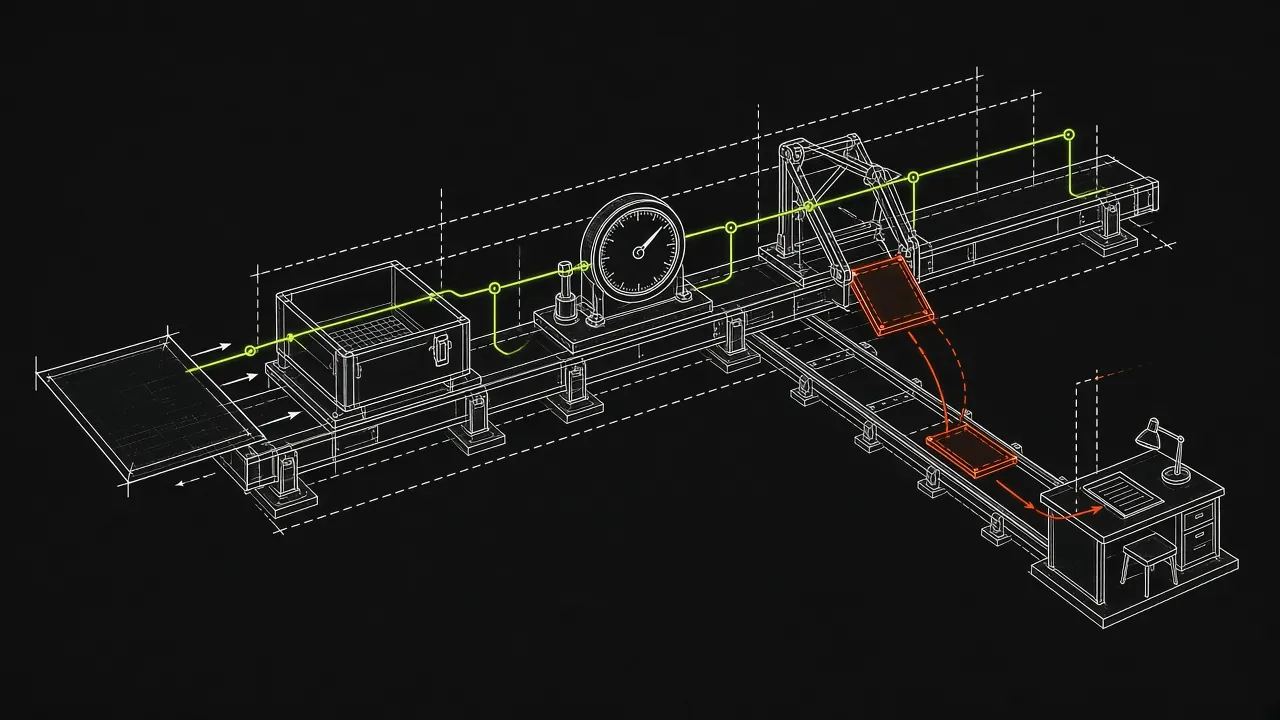
A clean container helps expose dependencies on packages, files and environment variables that happen to exist on a maintainer's machine. Start a fresh environment for each page, while preserving the order and state that the reader is instructed to build within that page. Document any setup the test supplies.
The following command runs an existing local Python test file in a constrained container. It assumes the image is already available, and that tests/reference_example.py exists in the current checkout. The test must not require network access or write to the mounted checkout:
docker run --rm --read-only \
  --network none \
  --user 65532:65532 \
  --cap-drop ALL \
  --security-opt no-new-privileges \
  --memory 512m \
  --cpus 1 \
  --pids-limit 128 \
  --tmpfs /tmp:rw,noexec,nosuid,size=64m \
  --mount type=bind,src="$PWD",dst=/work,readonly \
  --workdir /work \
  python:3.12 \
  python -B tests/reference_example.py
--rm removes the container after it exits; --read-only makes its root filesystem read-only. The command also disables container networking, uses an unprivileged numeric user, drops capabilities and limits resources. The temporary filesystem gives the process a bounded writable location if it needs one. Docker documents these and related options in its docker container run reference.
Adjust the image and setup to match the documented runtime and dependencies. Pin an image by an appropriate version or digest for reproducible production checks. If an example needs to install a package, prepare the image or a controlled dependency source and record that setup. A network-disabled fixture test cannot verify a live API call; run a separate authorized integration check when that is the claim you need to establish.
Container settings reduce exposure and make runs more repeatable; they do not make arbitrary code risk-free. Apply your organization's isolation and review requirements, especially for code from untrusted contributions. Set an external timeout as well as resource limits so a stuck example cannot hold a CI job indefinitely.
Decide what a failure means
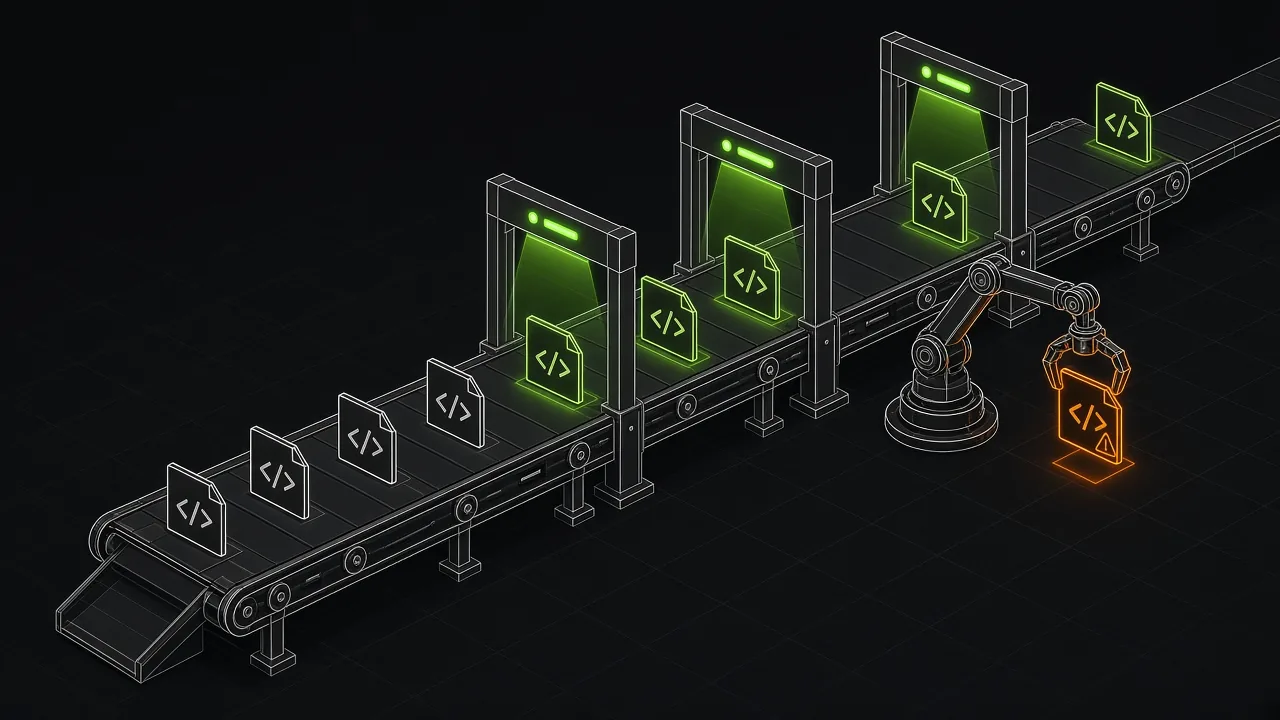
A failing block is a result to classify, not an automatic verdict that the docs are wrong. Keep the error message, page and line, version under test, setup and execution mode with the result. That evidence lets a maintainer reproduce the issue and decide who should act.
| Finding | Default treatment | What to investigate |
|---|---|---|
| Removed SDK attribute or argument | Likely docs bug | Confirm the documented SDK version and replace the obsolete usage |
| Invalid syntax in a complete sample | Likely docs bug | Check the language and whether the page promises a runnable example |
| Old deterministic output | Likely docs bug when confirmed | Reproduce with the stated version and update the output or explanation |
| Credential required | Coverage gap | Verify placeholder instructions; use a separate authorized integration check |
| External network failure | Review | Distinguish an outage or connectivity problem from a broken documented URL or behavior |
| Illustrative placeholder | Do not file automatically | Confirm the page identifies what must be replaced |
| Intentional fragment or alternate tab | Skip as appropriate | Confirm the omission or alternative is clear and record coverage |
| Variable ID, timestamp, header or ordering | Review the comparison | Assert stable properties and document which values vary |
| Missing install step or fixture | Report as a hint or review | Decide whether the page explains the prerequisite adequately |
| Timeout, unsupported language or runner limitation | Review or record a gap | Reproduce with suitable tooling before assigning blame |
A missing prerequisite can still be a documentation problem even if an automated classifier does not file it as one. Read the page from the reader's starting point: if a required file is never explained, a maintainer should decide whether to add the instruction. Similarly, a network failure may hide a real removed endpoint; retry and investigate before dismissing it.
Keep statuses distinct from causes. A pass might mean execution or a syntax check; a skip means the check did not establish runtime behavior. A warning about variable output is not the same as a confirmed stale field. Publish enough detail for a reviewer to see what was and was not checked.
Add pull request, release and nightly checks
Use pull requests for fast feedback on changes to docs, SDKs, schemas and API behavior. A pre-release check should test the artifact and API version intended for that release. A scheduled run can find drift caused by dependencies or a service changing after the documentation was merged.
The following GitHub Actions workflow is a starting point for a repository that already provides tests/reference_example.py. It runs the offline fixture check above on pull requests, published releases, a daily schedule and manual dispatch. Save it as .github/workflows/api-reference.yml:
name: API reference examples

on:
  pull_request:
  release:
    types: [published]
  schedule:
    - cron: "17 8 * * *"
  workflow_dispatch:

permissions:
  contents: read

jobs:
  offline-reference-check:
    runs-on: ubuntu-latest
    timeout-minutes: 10
    steps:
      - name: Check out repository
        uses: actions/checkout@v4

      - name: Run the offline example test
        run: |
          docker run --rm --read-only \
            --network none \
            --user 65532:65532 \
            --cap-drop ALL \
            --security-opt no-new-privileges \
            --memory 512m \
            --cpus 1 \
            --pids-limit 128 \
            --tmpfs /tmp:rw,noexec,nosuid,size=64m \
            --mount type=bind,src="$PWD",dst=/work,readonly \
            --workdir /work \
            python:3.12 \
            python -B tests/reference_example.py
This example tests a local fixture on every listed event. Replace the test path with your own checked-in test and add the checks your reference actually needs. Pin actions and images according to your repository's security and reproducibility policy. The GitHub Actions event reference documents the event types and their behavior.
A published release event runs after publication. To block a release, run the relevant checks against the candidate artifact and candidate API before publishing, in your release workflow. After publication, run a separate check against the shipped package or documented service version where practical. State which result is the gate and which is post-release monitoring.
For a nightly run, retain enough version and failure information to distinguish a docs change from dependency or service drift. Route uncertain network and credential-dependent results to review instead of making every scheduled failure an automatic docs bug. For adjacent workflows, see quickstart testing and CLI documentation testing.
Where DocsAlive fits
DocsAlive extracts fenced blocks from supported documentation sources, records their page and line, and plans whether to execute, syntax-check or skip them. It keeps blocks in page order, uses a fresh container per page and recognizes tabbed groups as alternatives, choosing one variant from each group for a run. Its triage uses the actual error to classify findings, and its reports include status, category and reasons. Review the other tabs separately when they need coverage.
The engine executes Python, JavaScript on Node, shell and supported curl or HTTP examples; it validates JSON and TOML. It handles simple TypeScript annotations, but does not judge all TypeScript-only syntax or JSX/TSX. Go, Rust, Java, Ruby, PHP, C#, Kotlin and Swift are recognized but not executed yet. Examples needing credentials are classified rather than executed with real keys; customer-provided test credentials are not currently supported. Use a separate authorized test for credentialed flows and suitable language tooling for unsupported examples.
A local scan can focus on reference pages and write reports for review. For example, adjust the glob and setup to your repository:
docsalive scan . --execute \
  --include "docs/reference/**" \
  --setup "pip install -q ." \
  --out ./docs-report
The setup command runs at the start of each page's container. Check that it reflects a documented prerequisite rather than hiding a missing install instruction. Add --no-network when the selected examples and setup can run without network access. Without --execute, the CLI extracts and plans rather than running the examples.
The pricing page lists Open Source at $0/month, Team at $299/month, Growth at $699/month and Scale from $1,499/month, billed monthly and subject to change. Growth includes OpenAPI reference checks. For a public repository you own or maintain, the health check provides a report on up to 40 docs pages.
What these checks do not replace
Executable examples do not prove that an API is secure, available under production load, backward compatible in every case or clear to every reader. Contract and integration tests, security review, performance testing and human documentation review remain necessary.
A passing fixture test does not prove a live request succeeded. A passing syntax check does not prove a snippet produces the documented result. A selected language tab does not prove the alternatives work. Keep those distinctions in the report and assign owners to important gaps.
Human review also needs to check whether the page explains authorization, prerequisites, parameter meaning, rate limits and recovery paths well enough for its audience. Automation can point to a failing line; a reviewer still has to decide whether the surrounding explanation tells the truth.
Pasteable checklist
Copy this into an issue or pull request and adapt it to the operation and versions under review.
- [ ] Record the API version, SDK version or artifact, base URL and environment under test.
- [ ] Confirm the method and path identify the documented operation.
- [ ] Check authentication setup and explain every credential placeholder.
- [ ] Check path, query and body parameter names, types, locations and documented defaults.
- [ ] Install and import the SDK as instructed; check method names and arguments.
- [ ] Compare request and response examples with the applicable OpenAPI description.
- [ ] Check success status, response shape and field names used by parsing examples.
- [ ] Exercise pagination across multiple pages and verify the stopping condition.
- [ ] Exercise documented error handling with a controlled response.
- [ ] Label complete samples, fragments, request blocks and response blocks clearly.
- [ ] Identify variable output fields and compare stable properties.
- [ ] Test important language-tab alternatives independently and record omissions.
- [ ] Run in a clean environment and record any test-provided setup or fixtures.
- [ ] Classify failures using the error and context; record skips and coverage gaps.
- [ ] Run relevant checks on pull requests, before release and on a schedule.
- [ ] Review clarity, prerequisites and behavior that automation cannot establish.
The sources we checked
These sources were read on November 6, 2026.
| Source | What it covers |
|---|---|
| Google developer documentation style guide: Code samples | Introducing, formatting and maintaining complete and incomplete samples |
| Google developer documentation style guide: Placeholders | Naming, formatting and explaining values readers must replace |
| Google developer documentation style guide: Code in text | Formatting API and code identifiers in prose |
| Google Markdown style guide | Maintainable Markdown and documentation practices |
| OpenAPI Initiative: Best practices | Source-of-truth and validation practices for API descriptions |
| OpenAPI Initiative: Structure of an OpenAPI Description | The structure and linked parts of an OpenAPI description |
| OpenAPI Specification | The specification for describing HTTP APIs |
Docker Docs: docker container run |
Container execution and isolation options |
| GitHub Docs: Events that trigger workflows | Pull request, release, scheduled and manual workflow events |
FAQ
What should an API reference documentation test cover?
Check the documented method, versioned URL, authentication setup, parameters, request body, success response, error envelope and any SDK method used by the example. Test pagination beyond the first page, and record whether each result came from a fixture, contract check or live service.
Is validating an OpenAPI description enough?
No. Validation helps check the description and examples against its rules, but it does not by itself prove that the deployed API, generated pages and hand-written SDK snippets agree. Compare those artifacts and run appropriate integration checks for the behavior you need to establish.
Should every response be compared exactly?
Compare exact values when they are deterministic and promised by the page. For variable IDs, timestamps or ordering, check stable fields, types and relationships instead, and explain to readers which values can differ.
How should API examples that require credentials be tested?
Check request construction and placeholder instructions with harmless substitute values. Use a separate authorized environment for live credentialed checks. DocsAlive classifies credential-dependent examples rather than executing them with real keys, and customer-provided test credentials are not currently supported.
When should API reference checks run?
Run relevant checks on pull requests, test the candidate artifact before publication when a release gate is needed, and run scheduled checks for drift. A post-release check can verify what readers can install or call, but it cannot block a release that has already been published.
Does a passing report mean every example and language was tested?
No. A pass can represent execution or a syntax check, and some blocks may be skipped or unsupported. Review the report's coverage, selected tab variants and reasons, then use suitable tools and human review to address the remaining gaps.