On this page
The short answerWhy release day is when SDK docs breakThe three versions on release dayStep 1: Build the artifact and install it into a clean environmentStep 2: Test the release candidate before you tag itStep 3: Decide what counts as a failure before the first runStep 4: Wire the gate into GitHub ActionsStep 5: Run the same examples against the version you just publishedStep 6: Use DocsAlive for the release candidateA release checklist you can paste into your templateWhat this doesn't replaceFAQThe short answer
Test the docs against the package you are about to publish, not against your repository. SDK documentation fails at release time for a specific reason: three different versions of your code exist on release day (the docs on your default branch, the source tree they describe, and the package a reader will install), and the usual checks only ever see the first two. A reader runs pip install or npm install, copies a snippet and meets the third version.
This guide is a release gate for SDK and client-library docs: build the artifact, install it into a clean environment, run every code example on your quickstart, reference and cookbook pages against it, and block the release on the failures that are real. It covers Python and JavaScript, because that's where DocsAlive executes code today, and the pattern carries over to other ecosystems. Every command and workflow trigger below comes from the tool's own documentation, linked as we go.
If you're still deciding how to test docs at all, start with how to test the code samples in your docs. This guide assumes you've decided to, and are wiring it into the moment that matters most: the release.
Why release day is when SDK docs break
A library's documentation is a promise about a released version. That promise breaks in four ways that only show up at release time.
- The docs got ahead of the package. Docs live in the same repository as the code, so they merge when the pull request merges, often weeks before a release. A page can describe a new parameter that exists on the default branch and in no published version. Anyone reading the live docs and installing from the registry hits an error. When we review scan results by hand, this is one of the false-alarm patterns we have to throw out, because from inside the repository the example is correct. From the reader's side it fails, and the cause is only the timing of the release.
- The package differs from the source tree. What a reader installs is a built artifact, and a build can leave things out: a data file that wasn't included, a submodule that wasn't packaged, an optional dependency that was never declared as an extra, an entry point that was renamed. Tests that import from the checkout never notice, because the checkout has everything.
- The API changed and one page was missed. Renaming a parameter or removing a deprecated function touches the reference page, and quietly leaves the three tutorials that still use the old name. The code review looked at the diff, and the diff didn't include those pages. We describe the general pattern in documentation drift.
- A dependency moved. Your examples import another library, and its current release no longer exports what the example uses. Nothing in your repository changed. Our published runs found cases like this on a real docs site: two cookbooks that import classes third-party frameworks no longer export, failing at the import line.
The first two are release problems in the strict sense: they exist only because of the gap between source and published package. The last two are drift, but release day is the best moment to catch them, because you are about to point more readers at the docs than at any other time.
The three versions on release day
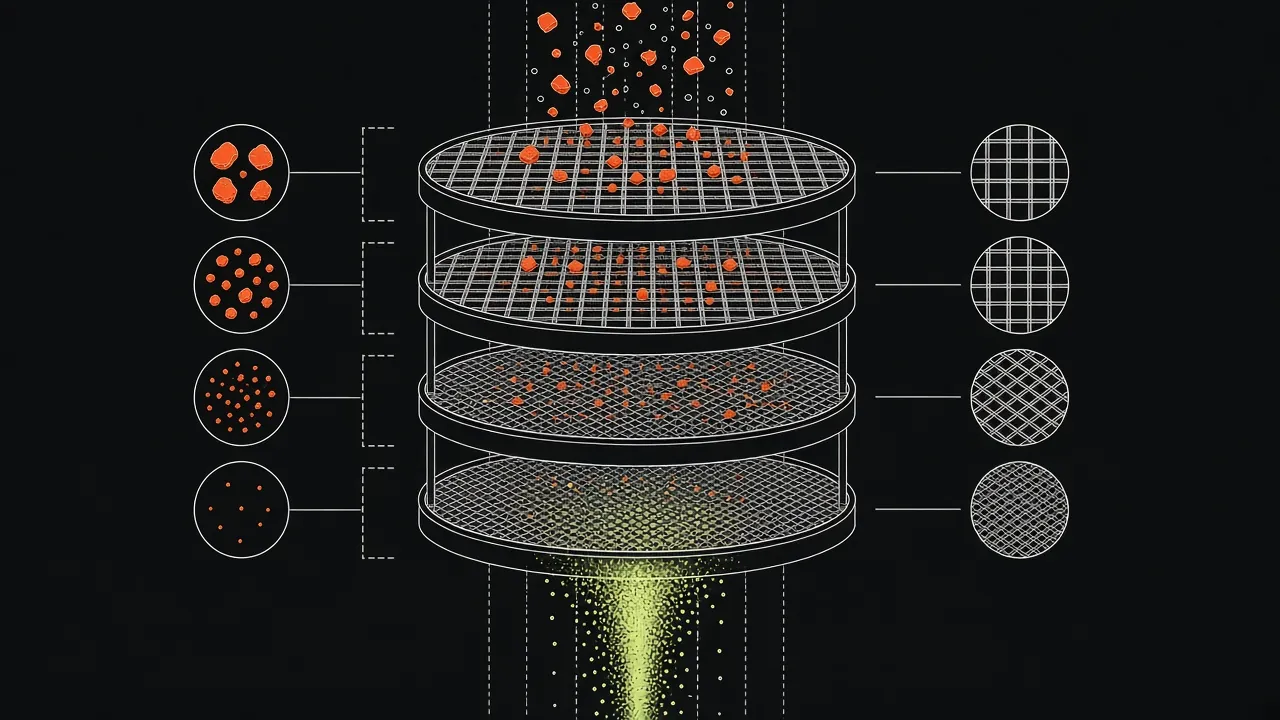
It helps to be exact about what each kind of check is testing.
| What you test | What it proves | What it misses |
|---|---|---|
Docs examples against your repository checkout (pip install -e ., npm link) |
The examples match the code on the branch | Packaging mistakes. Anything that only works because the source tree is present |
| Docs examples against the built artifact (wheel, npm tarball) in a clean environment | The examples work with exactly the files you are about to ship | Differences in what the registry serves, such as metadata and resolved dependency versions |
| Docs examples against the published package, installed from the real registry after release | The examples work for a reader today, with today's dependencies | It's too late to block the release. It tells you to publish a fix |
Each row catches something the one above can't, and the cost rises as you go down: a failure in the first row is a code review comment, a failure in the second is a blocked release, and a failure in the third is a patch version and, probably, a support ticket. The release gate in this guide is the middle row, with the bottom row as a cheap smoke test afterwards.
Step 1: Build the artifact and install it into a clean environment
The most useful change is also the smallest: stop installing your package from the checkout when you test docs.
Python
The Python Packaging Authority's build tool is a build frontend: python -m build builds the package in an isolated environment and writes a source distribution and a wheel to dist/. By default it builds the sdist first and then builds the wheel from that sdist, so a file missing from the sdist is missing from the wheel too, which is exactly the situation you want to detect. Then install the wheel into a fresh virtual environment and nothing else:
python -m pip install build
python -m build

python -m venv /tmp/docs-check
/tmp/docs-check/bin/python -m pip install dist/*.whl
/tmp/docs-check/bin/python -c "import yourpackage; print(yourpackage.__version__)"
Running the docs from a directory that doesn't contain your source (a temporary copy of the docs folder is enough) matters as much as the fresh environment. If the examples run from the repository root, import yourpackage can silently resolve to the source directory instead of the wheel you installed.
JavaScript
For npm packages, npm pack with no arguments packs the current package folder into a tarball in the working directory, the same kind of tarball that npm publish uploads. Install that tarball into an empty project:
npm pack
mkdir /tmp/docs-check && cd /tmp/docs-check
npm init -y
npm install /path/to/yourpackage-1.4.0.tgz
node quickstart.mjs
npm pack --dry-run reports what would be packed without writing a file, which is a quick way to see whether a build directory or a data file is missing from the files list before you create anything.
What this catches that nothing else does
Run your quickstart through this once and you'll often learn something about the package, not the docs. A missing file shows up as an ImportError or Cannot find module on the first example. A dependency your code needs but your metadata doesn't declare shows up as a failed import in a clean environment, where the checkout's own virtual environment was hiding it. Both are bugs in the release, found by the docs. That is a reason to run the docs tests even if you believe the docs are fine.
Step 2: Test the release candidate before you tag it
The artifact check above runs before anything is published. Many teams also publish a pre-release first, and you can point the same check at it.
For Python, TestPyPI is a separate instance of the Python Package Index meant for trying out the packaging process without affecting the real index. You upload with twine's --repository testpypi flag, and you install from it by giving pip a different index:
python3 -m pip install --index-url https://test.pypi.org/simple/ \
  --extra-index-url https://pypi.org/simple/ yourpackage==1.4.0rc1
Three details from the Packaging guide and pip's documentation are worth knowing:
- TestPyPI has its own database and accounts, and the guide notes that its database may be periodically pruned, so don't treat it as a permanent home for anything.
- If the package has dependencies, you need
--extra-index-urlpointing at the real PyPI as well, because the packages your package depends on usually live only on the real PyPI. - By default pip installs only stable versions. A requirement that names a pre-release version explicitly, like
yourpackage==1.4.0rc1, allows pre-releases for that requirement. The--preflag allows them for everything, which can pull pre-release versions of your dependencies too, so prefer the exact pin.
The GitHub Releases workflow has its own wrinkle. The Actions documentation says that the prereleased activity type of the release event doesn't fire for pre-releases published from draft releases, while the published type does. If you want a docs check on both stable releases and pre-releases, subscribe to published.
Step 3: Decide what counts as a failure before the first run
Run every code block on a real docs site and most failures won't be bugs. Across the 309 pages in our published runs, 1,742 code blocks were found and 676 exited with an error, and the engine flagged 11 as likely docs bugs. The rest were context-dependent fragments, credential-gated calls and runtime errors that the rules don't escalate. A release gate that blocks on every red result will be disabled within a month. So settle the policy first:
| What the failure looks like | Treat it as | Release action |
|---|---|---|
ImportError, ModuleNotFoundError or Cannot find module for your own package |
A packaging or export bug | Block the release |
TypeError for an unexpected keyword argument, or AttributeError on your own API |
Docs and code disagree | Block, then fix the page or the API |
SyntaxError in a complete example |
A docs bug that never ran | Fix the page. It rarely needs to block |
| Import of someone else's package fails | A dependency drift problem | Open a docs fix, don't block on it |
| Needs an API key or a live service | Not a docs bug | Classify it, don't fail on it |
| Depends on a name defined on another page | Missing context | Mark the block as a fragment or add the setup |
| Docs describe a feature not in this release | The docs are ahead | Gate the page until the release that ships it, or label it |
The same sorting is what the engine's 24 finding categories do, documented under finding categories. If you build the gate yourself, write the table down before you write the script. Everything that follows is mechanics.
Mark what is not meant to run
Readers and runners both benefit when intentional fragments look like fragments. Use ... for elisions, use obvious placeholders such as YOUR_API_KEY, and put sample output in its own block directly after the code so a runner can compare or skip it. If you have credentials-gated flows, give CI a sandbox account with test keys that cannot touch production. Never put real keys into a docs runner.
Step 4: Wire the gate into GitHub Actions
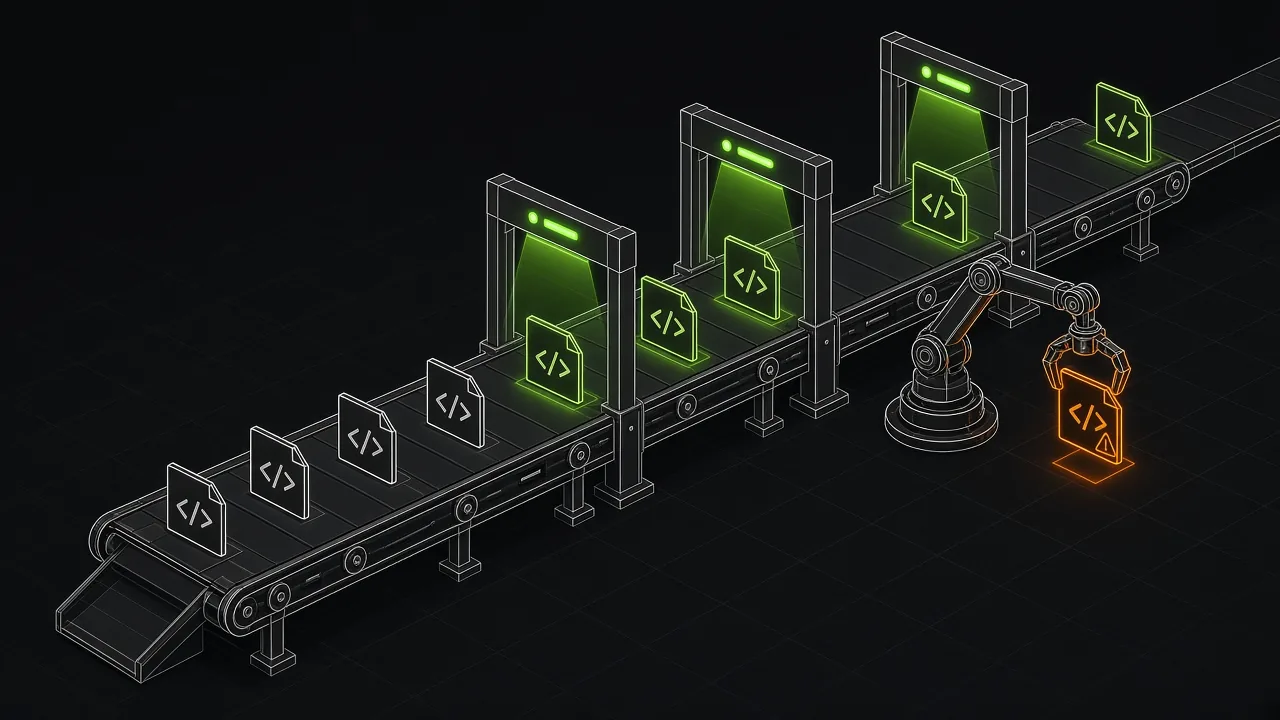
Pick triggers by what each one is for. The Actions documentation for events that trigger workflows describes them all. These are the ones that matter for a release gate:
| Trigger | Use it for | Documented behavior to know |
|---|---|---|
pull_request with a paths filter |
A fast check when docs or the public API change | Runs only when the changed files match the filter. With a branches filter too, both must match |
push with a tags filter |
The release gate itself | Runs when a matching tag is pushed. No event is created when more than three tags are pushed at once |
release with types: [published] |
Gate or smoke-test when a GitHub Release goes out | published fires for stable releases and pre-releases, including those published from drafts |
workflow_dispatch |
Re-running the gate by hand, for a specific tag or branch | The workflow file has to exist on the default branch for the run button to appear |
schedule |
The nightly dependency-drift check | Can be delayed at the start of each hour, and in a public repository it is disabled after 60 days without repository activity |
The scheduled run deserves a second look. The documentation says scheduled workflows run on the latest commit on the default branch, and that in public repositories they are disabled when the repository has had no activity for 60 days. A low-traffic SDK repository is exactly where that can happen, so a nightly docs check that quietly stopped is easy to miss. Pick an off-the-hour minute, as the documentation advises, and have the workflow's failure notification go somewhere somebody reads.
Here is a complete release gate for a Python SDK. It builds the wheel, installs it into a fresh environment, copies the docs elsewhere so the source tree can't leak in, and runs the examples with the same small script from our docs testing guide:
name: release-docs-gate
on:
  push:
    tags: ["v*"]
  workflow_dispatch:
jobs:
  docs-against-wheel:
    runs-on: ubuntu-latest
    steps:
      - uses: actions/checkout@v7
      - uses: actions/setup-python@v7
        with:
          python-version: "3.12"
      - name: Build the artifact you are about to publish
        run: |
          python -m pip install build
          python -m build
      - name: Install the wheel into a clean environment
        run: |
          python -m venv /tmp/docs-check
          /tmp/docs-check/bin/python -m pip install dist/*.whl
      - name: Run the docs examples from outside the source tree
        run: |
          mkdir /tmp/work
          cp -r docs /tmp/work/docs
          cp scripts/run_md_python.py /tmp/work/
          cd /tmp/work
          /tmp/docs-check/bin/python run_md_python.py
A few notes on that file. It fails the job on the first red page, which is fine for a first version. Once the policy table above is in place, replace the last step with a runner that applies it. If the same job also publishes, put the docs steps before the publish step so a failure stops the upload. And if you support several runtime versions, add a matrix over them:
    strategy:
      matrix:
        python-version: ["3.10", "3.12"]
    steps:
      - uses: actions/setup-python@v7
        with:
          python-version: ${{ matrix.python-version }}
Use the versions you actually support. A matrix over every version doubles the run time, and the docs rarely differ between them. One quickstart on the oldest supported version and the full set on the newest is a reasonable trade.
Step 5: Run the same examples against the version you just published
Once the release is out, install the package from the real registry in another clean environment and run the quickstart again. This catches the failures that no pre-publish check can: wrong metadata on the registry, a yanked or mis-tagged build, and dependency versions that resolve differently today than they did in your lockfile.
Allow for a short delay between publishing and installing. The TestPyPI guide says it may take a minute or two for a newly uploaded project to appear, and a retry loop with a few attempts is cheaper than a false alarm. Keep this step to the quickstart and one or two reference pages. Its job is to tell you in minutes that the release is broken for new readers, not to be a second full run.
Step 6: Use DocsAlive for the release candidate
You can build the whole gate from the pieces above. The part that costs the most is not the extraction or the install, it's triage: deciding, for each red result, whether it's a bug. That's the part DocsAlive is built for. It extracts every code block (including MDX tabs and code groups), runs each page in an isolated container, and classifies every result into 24 categories so that only likely docs bugs are escalated. The how it works page has the details.
For a release, the CLI's --setup option runs a shell command at the start of each page's container, which is where you install the version under test. To check a release candidate you've pushed to TestPyPI, the setup command is the same pip line from Step 2, with the version pinned:
docsalive scan . --execute --out docsalive-report \
  --setup "pip install -q --index-url https://test.pypi.org/simple/ --extra-index-url https://pypi.org/simple/ yourpackage==1.4.0rc1"
jq -e '.summary.likely_docs_bugs == 0' docsalive-report/report.json
The flags are in the CLI reference. Docker is required, network access stays on by default so the install can reach the index, and --no-network is available when your examples don't need it. The jq line fails the job when summary.likely_docs_bugs is not zero, which is the same count the terminal summary prints. For JavaScript packages the setup command installs from npm instead, as in the CLI reference's example.
What it doesn't do is worth saying plainly. It doesn't run compiled languages yet, and TypeScript is limited to simple cases (supported stacks). It doesn't call APIs that need real credentials; those are classified, not run. And it doesn't replace the build-and-install check in Step 1, which is about your package rather than your docs. If you want to see how it reads your own pages before wiring anything, the free health check runs a sample and our team emails you the real report. Pricing lists the plans, including $0 for one public open-source repository.
A release checklist you can paste into your template
- Build the sdist and wheel (
python -m build) or the tarball (npm pack) from the tagged commit. - Check what was packed (
npm pack --dry-run, or list the wheel's contents) before you publish. - Install the artifact into a new environment that has nothing else in it.
- Run the docs from a copy that is outside the source tree.
- Run the quickstart and every page linked from the README, then the reference pages with runnable blocks.
- Apply the failure policy: block on your own import errors and API mismatches, ticket the rest.
- Check that no page documents a feature that isn't in this release.
- Publish, then install from the real registry and run the quickstart again.
- Keep a nightly run against the latest versions of your dependencies, and make sure someone is notified when it fails.
What this doesn't replace
A docs gate runs examples. It doesn't judge whether the docs explain the right thing, whether the prose is clear, or whether the links resolve. Pair it with a prose linter and a link checker; our free tools guide lists open-source options for each layer, and the Vale vs markdownlint comparison explains the two common linters. It also tests the examples you've written, not the ones you haven't. A quickstart with three snippets has three tests. If a whole feature has no code samples, nothing here will tell you.
Most of all, it can't make a docs-ahead-of-release page correct. That's a process question: decide whether docs for unreleased features live on a separate branch, behind a version selector or under a "next" label, so the page a reader sees matches the package they can install.
FAQ
Should the docs check block the release?
Block on failures that mean the package is broken for a reader: import errors on your own package, and examples that call your API with arguments it no longer accepts. Treat everything else as a ticket. A gate that blocks on noise gets turned off.
Why not just run the docs against the repository?
Because readers don't install your repository. They install a built artifact, and the build can omit files or metadata that the source tree has. Testing against the wheel or tarball is the only way to catch those omissions with your docs.
Do I need TestPyPI or can I test the local wheel?
The local wheel from python -m build is enough for the gate, and it needs no accounts. TestPyPI adds value when you want to check the registry path too, or when the docs check runs in a different job or service than the build.
How often should this run besides releases?
On pull requests that touch docs or your public API, with a paths filter so it stays fast, and nightly against the latest versions of your dependencies. The nightly run catches the failures you didn't cause.
Does this work for languages other than Python and JavaScript?
The pattern does: build the artifact, install it somewhere clean, run the examples against it. DocsAlive executes Python, JavaScript on Node 20, simple TypeScript, shell and curl or HTTP examples today. Compiled languages are recognized but not executed yet. Many of them have their own test-the-docs mechanism, covered in our free tools guide.