On this page
The short answerWhy quickstarts and tutorials break earlyMap the path before you automate itRun in a clean environmentDecide what each kind of block meansRun the onboarding path with DocsAlivePut the checks at the right moments in CIUse a triage policy people can applyMeasure coverage as well as failuresQuickstart testing checklistWhat this does not replaceThe sources we checkedFAQThe short answer
Test a quickstart as a new reader follows it: start in a clean environment, install the documented package, run the examples in page order, and compare the results with what the page promises. Keep the state created by earlier steps when later snippets depend on it. Record what you could not execute, and separate genuine documentation bugs from credentials, placeholders, missing fixtures and other cases that need different handling.
Run this path when a pull request changes the docs or public API, when you release, and on a schedule to catch dependency drift. Use a release check against the package a reader will install, then repeat the quickstart against the published package when practical. How to test docs code samples covers the broader practice; this guide focuses on the onboarding path from installation to a first result.
DocsAlive can extract and run supported code examples, preserve their order within a page, compare documented output, and classify findings. Its scope has limits: compiled languages are not executed yet, TypeScript execution is limited to simple cases, and examples needing credentials are classified rather than run. It tests code examples, not prose clarity.
Why quickstarts and tutorials break early
A quickstart makes several promises in a small space. It tells a reader what to install, which commands to run, what to configure, which code to copy and what result to expect. A failure in any of those steps can stop the rest of the page from being useful. A changed import near the beginning can prevent a reader from reaching examples that are otherwise correct.
Tutorials add another dependency: the story has an order. A later block may use a variable created earlier, a file written by a previous command, or a package installed in a setup step. Testing each block in isolation can produce failures that a reader would not see. Testing only the final block can miss an earlier instruction that no longer works.
The Diataxis tutorial guidance describes a tutorial as a practical activity that a learner must be able to complete. Its reliability principle is concrete: each step should produce a comprehensible result, and the result should match the promise. Diataxis also notes that product changes can cascade through a tutorial's story, so the work of keeping it reliable must be repeated as the product evolves.
That principle gives you a useful testing standard. A passing check should mean more than “the code parsed.” It should give you evidence that the documented sequence can reach its stated result under the conditions you tested. It should also tell you which parts of that sequence were skipped, because a skipped credential-dependent call is not evidence that the call succeeded.
The same issues appear outside onboarding. The difference is that a quickstart is often the first path a reader tries, and its steps depend heavily on one another. For the wider pattern of examples falling behind implementation or dependencies, see documentation drift.
Map the path before you automate it
Read the page as an ordered set of actions. For each action, write down what the reader starts with, what they do, and what they should see or have available afterward. That gives the test a boundary and gives reviewers enough context to interpret a failure.
| Step in the path | What to check | A failure to investigate |
|---|---|---|
| Install | The documented package and install command work in the intended environment | The package name is wrong or the installed package lacks an import used next |
| Configure | Required configuration is identified and the example uses valid placeholders | A reader cannot tell which value must be supplied |
| Make the first call | The code runs after the preceding setup and uses the installed API | An import, attribute or argument no longer exists |
| Inspect the result | The displayed result agrees with what the code produces, allowing for known variable fields | The code succeeds but the documented output is stale |
| Take the next step | The tutorial leaves the reader with the state and information the next instruction assumes | A later example expects a file or variable that was never created |
This map is also a way to find gaps that an executor cannot judge. If the page asks a reader to create a local file but never explains its contents, a run may report a missing fixture. That finding is a prompt for a human to decide whether the file is a reasonable prerequisite or an omission in the page.
Test the sequence, not just the individual blocks
A page can contain several valid snippets that fail when followed in the published order. For example, a later Python block can use a variable established by an earlier one. If a test starts a new interpreter for each block, it may report an undefined name even though the page is internally consistent. Conversely, a test that injects a variable the page never defines can hide a real gap.
Keep executable blocks in page order and preserve the state they need within that page. Treat separate pages as separate starting points unless the documentation explicitly tells readers to carry state from one page to the next. If a tutorial spans pages, record that dependency and test the complete journey as well as the individual pages. Do not assume a page-level scan alone proves a cross-page journey.
Tabbed examples need a different decision. Tabs often present alternatives, such as different languages or package managers. Running every tab in sequence can mix incompatible paths; running one tab leaves the other alternatives unchecked in that run. Record which variants were tested and plan separate coverage for the alternatives that matter to readers.
Check the result, including output
An exit status alone cannot prove the page delivered the result it promised. A command can succeed while returning a different value from the one shown in the tutorial. Compare stable, meaningful output with the documented output, and review differences in fields such as timestamps, headers or ordering before treating them as documentation bugs.
When exact output is not stable, say what part of the result the reader should verify. Keep a sample output block recognizable as output rather than an instruction to execute. If the page promises a specific value, verify that value under the stated setup; if it shows a representative shape, explain which parts can change.
The Diataxis guidance recommends showing actual or exact expected output so a learner can understand the result of each step. That makes output useful both to the reader and to a test reviewer.
Run in a clean environment
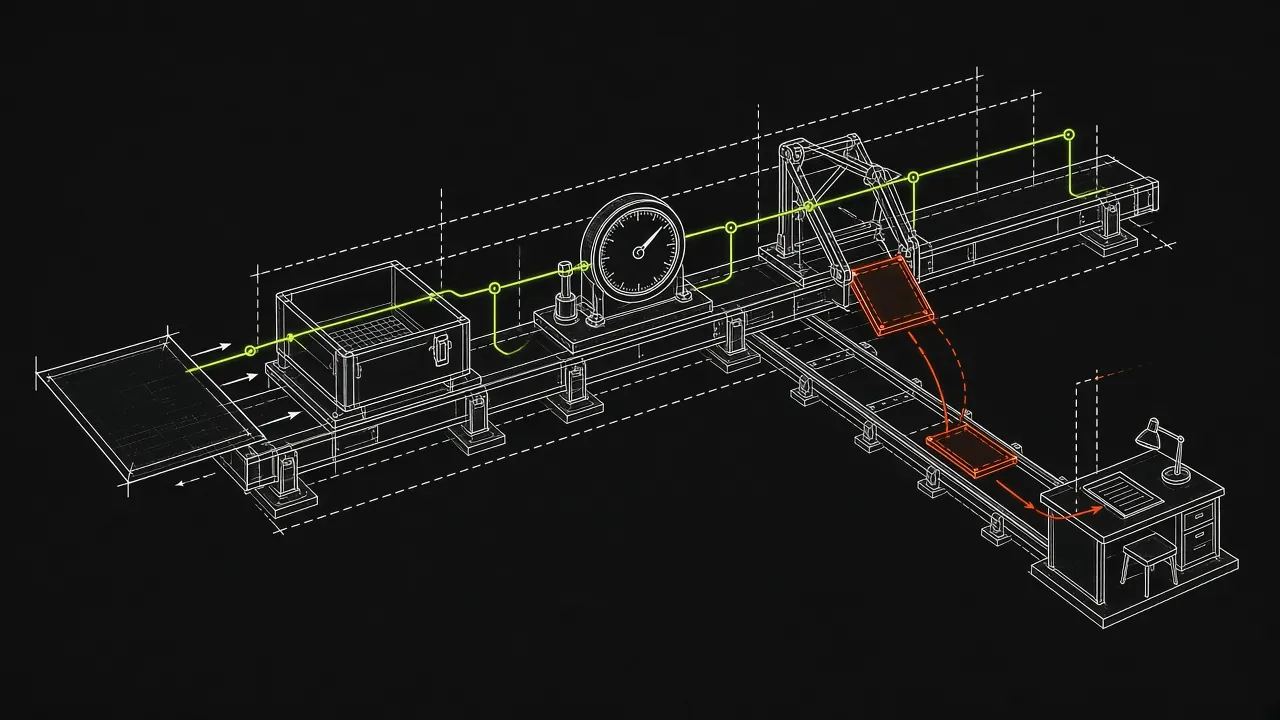
A clean environment exposes assumptions that a maintainer's machine can hide. A package may already be installed locally, a variable may be set in a shell profile, or a file may exist from an earlier attempt. If the quickstart requires any of those, the page should say so or create them as part of the path.
For a Python example, the standard library's venv module creates a virtual environment with its own package installation directory. By default, it is isolated from packages in the base environment. The Python venv documentation documents the creation command. For example:
python -m venv /tmp/quickstart-venv
source /tmp/quickstart-venv/bin/activate
python -m pip install .
Run this from the package's checkout when the purpose is to test that checkout. Then follow the quickstart's documented commands in order. A virtual environment isolates Python packages; it does not by itself recreate every aspect of a new machine. Note any required files, tools, environment variables and network access separately.
For a release check, be explicit about the version under test. Installing from a checkout answers whether the page works with that checkout. Installing the built artifact in a fresh environment answers whether the page works with the artifact intended for readers. A check against the published package answers whether the install path works after publication. These checks answer different questions; see the SDK docs release gate for the release workflow.
A fresh container per page is another way to make page boundaries explicit. It helps prevent one page's installed packages or generated files from making another page pass accidentally. Inside the page, preserve the order and state the reader would have. Outside the page, start again with a clean environment.
Keep setup visible
Test setup can make a run practical, but it can also conceal a missing instruction. If a test installs a dependency before opening the page, ask whether the page tells a new reader to install it or clearly identifies it as a prerequisite. A passing example is less useful if it depends on undocumented setup.
Record the setup command, package version or artifact being tested, and any fixture prepared outside the page. That record lets a reviewer reproduce the result and decide whether the setup reflects the reader's situation. If a test uses a substitute value or local fixture, state that in the test record rather than presenting the run as proof of the full external workflow.
Decide what each kind of block means
Not every fenced block is an executable instruction. A tutorial may show configuration, a fragment of a larger file, an example response, or a command that requires a private credential. Classify those blocks before deciding whether a failed execution should block a change.
| Block or result | Appropriate treatment | Review question |
|---|---|---|
| Complete example | Execute it in the documented sequence | Does it produce the promised result? |
| Output block | Compare it with the preceding result where practical | Is the difference meaningful or expected variability? |
| Intentional fragment | Mark the omission and review it in context | Can a reader tell that more code is required? |
| Credential-dependent example | Classify it and state what was not tested | Is there a separate authorized way to verify the full flow? |
| Local fixture | Provide or document the fixture for the test | Would a new reader know how to obtain or create it? |
| Placeholder package or module | Treat it as illustrative when that is its purpose | Is the placeholder clearly identified? |
| Alternative tab | Test as an alternative path | Which variants still need coverage? |
For code samples that omit surrounding code, the Google developer documentation style guide recommends an omission comment in the language's syntax instead of an ellipsis, and says not to make a block with an omission click-to-copy. That guidance is about formatting, not execution testing. It is still useful to test design: a reader can distinguish a fragment from a complete example, and a reviewer can decide how to cover it.
For instance, an illustrative Python fragment can make its omission explicit:
# Existing setup is omitted.
result = client.run()
print(result)
This block depends on client being defined elsewhere. Test it with the surrounding setup when that setup is part of the page, or mark the dependency for review. Do not silently add an invented client to the example and call the original block independently tested.
Credentials and external services
A placeholder such as an API key tells a reader where a value belongs; it is not a working credential. Do not put real keys into documentation or mistake a credential failure for proof that the example's API usage is wrong. Record that the call was not executed and, if the workflow is important, arrange a separate test with the appropriate authorization and environment.
External network failures also need context. A timeout or unavailable service can prevent an example from completing without establishing that the documentation is wrong. Keep the evidence, retry or investigate under the intended conditions, and avoid automatically filing every network failure as a docs bug.
DocsAlive classifies examples that need credentials; it does not run them with real keys, including customer-provided test credentials. Its --no-network option runs containers without network access, which is useful for a deliberately offline check but cannot prove that a network-dependent tutorial works.
Run the onboarding path with DocsAlive
The CLI can scan a local directory or a Git URL. A Git URL is shallow-cloned into a temporary directory, which is deleted when the run exits. Without --execute, a scan extracts and plans work rather than executing it. Start with a focused quickstart scan when you want a report for that path:
docsalive scan . --execute \
  --include "docs/quickstart*" \
  --setup "pip install -q ." \
  --out docs-test-report
This command uses the current directory as the target, selects matching pages relative to the repository root, runs the setup command at the start of each page's container, and writes report.md and report.json to the output directory. The setup installs the current checkout; use it when that is the version you intend to check, and review whether the page itself explains the installation a reader needs.
Adjust the glob to match the actual onboarding pages in your repository. --include and --setup can each be repeated. The documented options, including network, timeout and runner settings, are in the CLI reference.
The pipeline detects supported documentation frameworks, extracts fenced blocks and associated output, and plans whether to execute, syntax-check or skip each block. It keeps blocks in page order so later snippets can use earlier variables, and selects one variant from each tab group. Each page runs in a fresh container. The runner uses an unprivileged user, a read-only root filesystem and resource limits; gVisor is supported. See how it works and the framework support reference for the pipeline and supported formats.
Python and shell examples can be executed, as can JavaScript on Node 20 and curl or HTTP examples. Simple TypeScript annotations can be stripped before execution; other TypeScript-only syntax is not judged. JSON and TOML are validated. Compiled languages are recognized but not executed yet, and full TypeScript and JSX are not available. A report therefore needs to be read alongside its skips and coverage, not just its passing count.
Read the report before setting a gate
The JSON report has a summary and a finding for each code block. A finding includes the page, line, language, status, category and reason, along with whether it is considered a docs bug. It can also include a hint and evidence. The findings reference explains the categories.
| Status | Meaning for a reviewer |
|---|---|
pass |
The block was executed or syntax-checked; documented output matched when compared |
warn |
The block ran, but output differed or a dependency emitted a deprecation warning |
fail |
The block exited with an error; the category indicates whether it is considered the docs' fault |
skip |
The block was deliberately not run, with a reason |
A pass can therefore describe a syntax check rather than a full execution. A fail is not automatically a confirmed documentation bug. Review the status together with the category, reason and evidence.
DocsAlive uses 24 finding categories. Examples classified as likely docs bugs include API drift, invalid syntax in a snippet that is not an intentional fragment, stale output, and a documented package name that does not exist. Runtime errors, timeouts and some external network results need review instead of automatic filing as docs bugs.
The distinction matters in practice. The published results describe a run on an open-source SDK documentation site where 520 blocks failed and triage flagged seven likely docs bugs. That is an example of why a raw failure count is a poor gate: the reviewer needs to know what each failure means and what was actually covered.
Put the checks at the right moments in CI
Docs-as-code treats documentation with familiar development practices, including version control, review and automated tests. That framing comes from the Write the Docs guide. For onboarding, use those practices at moments that answer different questions:
| When | Question | Scope and response |
|---|---|---|
| Pull request | Does this change break the onboarding path? | Run relevant pages; review likely docs bugs before merging |
| Release | Does the path work with the version being shipped? | Test the release artifact and investigate reader-facing failures before publication |
| Nightly | Does the path still work as dependencies change? | Run on the default branch, review drift and assign follow-up |
| Manual | Can someone reproduce or investigate a finding now? | Run the same documented check on demand |
A focused pull request check gives authors feedback while the change is under review. Include changes to the quickstart and to the public API it uses in the trigger policy. If you use GitHub Actions paths filters, remember that they select changed files, not every possible downstream effect. GitHub documents that when both branch and path filters are set, both must match for the workflow to run. See events that trigger workflows.
A release check should identify the exact artifact or published version under test. DocsAlive can re-test examples when a release is tagged, against the version just shipped. That post-release check can find a problem, but it cannot by itself block a release that has already shipped. Use a separate pre-publication check against the built artifact if blocking publication is your goal.
A nightly run checks for drift even when nobody changes the docs. Scheduled GitHub Actions workflows run on the latest commit on the default branch and use UTC by default. GitHub notes that scheduled runs can be delayed during high load, especially at the start of an hour; a schedule at another minute reduces the chance of that delay. In a public repository, GitHub also disables scheduled workflows after 60 days without repository activity. Monitor whether the run actually occurs.
A focused workflow shape
The following trigger configuration runs on pull requests that change the selected paths, on a schedule, or by manual dispatch. Replace the paths with the locations of your onboarding docs and public API. The steps assume the CLI and jq are available in the runner environment.
name: Quickstart docs check

on:
  pull_request:
    paths:
      - "docs/quickstart*"
      - "src/**"
  schedule:
    - cron: "17 3 * * *"
  workflow_dispatch:

jobs:
  quickstart:
    runs-on: ubuntu-latest
    steps:
      - uses: actions/checkout@v4
      - name: Run quickstart examples
        run: |
          docsalive scan . --execute \
            --include "docs/quickstart*" \
            --setup "pip install -q ." \
            --out docs-test-report
      - name: Check likely docs bugs
        run: |
          jq -e '.summary.likely_docs_bugs == 0' \
            docs-test-report/report.json
The jq check gates on the report's likely docs bug count, rather than every failed block. Review warnings, skips and needs-review findings separately; a zero count does not establish that every step was executed or that every external service was available. A manual run is useful for investigation; GitHub states that its Run workflow button is present when the workflow file exists on the default branch.
The example installs the checkout because that is what its setup command specifies. For a release gate, change the test setup to install the artifact you have built and record the artifact being checked. Make sure the report remains available to the people responsible for triage.
Use a triage policy people can apply
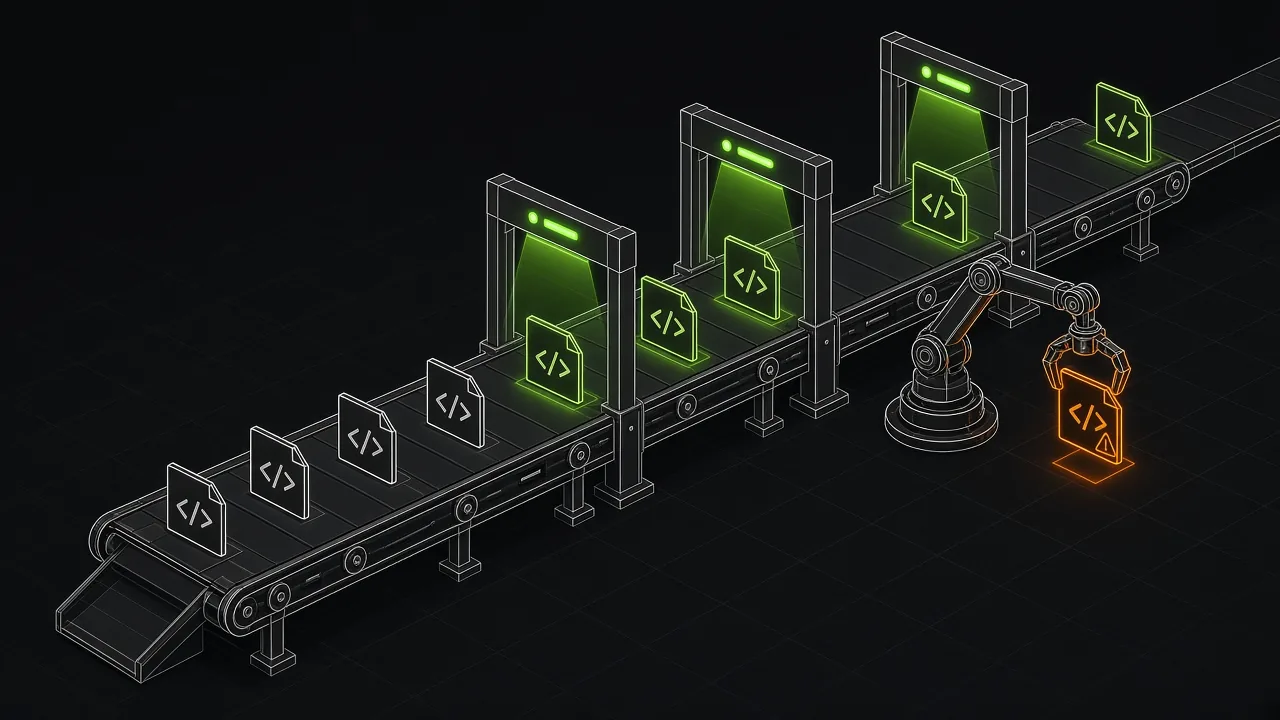
Agree on the response before a check fails. The goal is to protect the reader's path while making it clear who investigates uncertain results.
| Finding | Initial action | Decision to make |
|---|---|---|
| Installed API no longer has the documented import, attribute or argument | Investigate as a likely docs bug | Update the example or correct the version it targets |
| Complete example has invalid syntax | Fix the example | Confirm it was intended to be complete, not a fragment |
| Documented stable output is stale | Compare with the tested runtime and update it | State variability if the result is not intended to be exact |
| Documented package name does not exist | Verify the install instruction | Correct the package name or clarify an intentional placeholder |
| Missing fixture or install step | Review the page and test setup | Document or provide the prerequisite if readers need it |
| Credential requirement | Record the untested step | Arrange a separate authorized check if needed |
| Timeout, runtime error or external network result | Keep evidence and investigate | Determine whether the page, environment or external service caused it |
| Unsupported language or runner gap | Record the coverage gap | Use another suitable check for that path |
| Output differs in timestamps, headers or ordering | Review the difference | Compare the stable behavior the page promises |
Do not erase uncertain findings just to make a dashboard green. Assign an owner, record the tested version and environment, and link the result to the page and line where possible. Equally, do not turn every skipped fragment into a release blocker. A useful gate makes a clear claim about what passed and preserves the unresolved questions for review.
When a model provider is configured, DocsAlive can draft a small fix and re-run the fixed page in the sandbox, keeping the fix only if it passes. Without a configured provider, triage is deterministic. Draft pull requests require maintainer approval; nothing merges automatically.
Measure coverage as well as failures
Track the onboarding pages and variants you intend to cover, the environment and package version used, and the date of the last successful run. For each run, retain counts of executed or syntax-checked blocks, warnings, failures and skips, along with their reasons. Track likely docs bugs separately from findings that need review.
Those records answer more useful questions than a single pass rate. Did the quickstart pass because the critical call ran, or because it needed credentials and was skipped? Did a tabbed path remain untested? Did a nightly run stop occurring? Did a release check exercise the artifact readers received? Review trends alongside the underlying findings, especially after changing setup or expanding page coverage.
Quickstart testing checklist
- [ ] List the pages and tab variants a new reader follows from installation to a first result.
- [ ] Identify the package version, runtime, operating assumptions and prerequisites for the path.
- [ ] Start from a fresh environment and document any setup supplied by the test.
- [ ] Run complete examples in page order, preserving the state later steps need.
- [ ] Compare promised output with actual output and identify fields that can vary.
- [ ] Mark fragments, placeholders, output blocks and alternative paths clearly.
- [ ] Record credential-dependent steps, missing fixtures and unsupported languages as coverage gaps.
- [ ] Test the release artifact before publication when the check is a release gate.
- [ ] Run a focused check on relevant pull requests and a scheduled check for drift.
- [ ] Triage likely docs bugs separately from timeouts, external failures and other uncertain results.
- [ ] Retain the report, assign follow-up and verify that scheduled runs continue to occur.
What this does not replace
Executing examples does not establish that a tutorial explains the right concept, uses clear prose or gives a learner enough context to choose a next step. It also cannot test a missing example. Have a person follow the onboarding path and review the instructions, prerequisites and transitions alongside the execution report.
Use a prose linter and link checker as complementary checks. The free docs testing tools guide covers options, and the Vale vs markdownlint comparison explains two prose and Markdown linting tools. For other approaches to executable documentation checks, see the comparisons with Doc Detective and Promptless.
Plans for DocsAlive are listed on pricing: Open source is $0 per month for public OSI-licensed repositories, Team is $299 per month, Growth is $699 per month, and Scale starts at $1,499 per month. For a public repository you own or maintain, the health check offers a report from a run on up to 40 docs pages, emailed within two business days.
The sources we checked
These sources were read on November 4, 2026.
| Source | What it covers |
|---|---|
| Diataxis: Tutorials | Tutorial reliability, meaningful steps, expected results and repeated testing as products change |
| Google developer documentation style guide: Code samples | Formatting code samples and indicating omitted code |
| GitHub Docs: Events that trigger workflows | Pull request filters, scheduled workflows and manual dispatch |
Python documentation: venv |
Creating virtual environments and their default package isolation |
| Write the Docs: Docs as code | Applying version control, reviews and automated tests to documentation |
FAQ
What should a quickstart test cover?
Cover the path a new reader follows: installation, configuration, the first call, the expected result and the next step. Run complete examples in page order, and record any credential-dependent or unsupported steps that the test cannot execute.
Why use a clean environment for tutorial testing?
A clean environment helps reveal dependencies on packages, files or settings that happen to exist on a maintainer's machine. Record any setup the test supplies so reviewers can compare it with the prerequisites documented for readers.
Should every failed code block block a pull request?
No. Investigate likely documentation bugs, such as an invalid complete example or an API that no longer matches the installed package. Review timeouts, external network failures, intentional fragments and other uncertain results in context.
How often should onboarding examples run?
Run relevant paths on pull requests, check the release artifact before publication when you need a release gate, and run a scheduled check for dependency drift. A post-release check against the shipped version provides another signal, but it cannot block a release that has already shipped.
Can DocsAlive run examples that need credentials?
It classifies credential-dependent examples rather than executing them with real keys. Running them with customer-provided test credentials is not currently supported. Record that coverage gap and use a separate authorized check when the full flow needs verification.
Does a passing report mean the whole tutorial is good?
No. A passing status can describe execution or a syntax check, and some blocks may be skipped. Review the report's coverage and reasons, then have a person assess clarity, prerequisites and whether the tutorial achieves its goal.